

Hey dear subscriber,
This issue is about
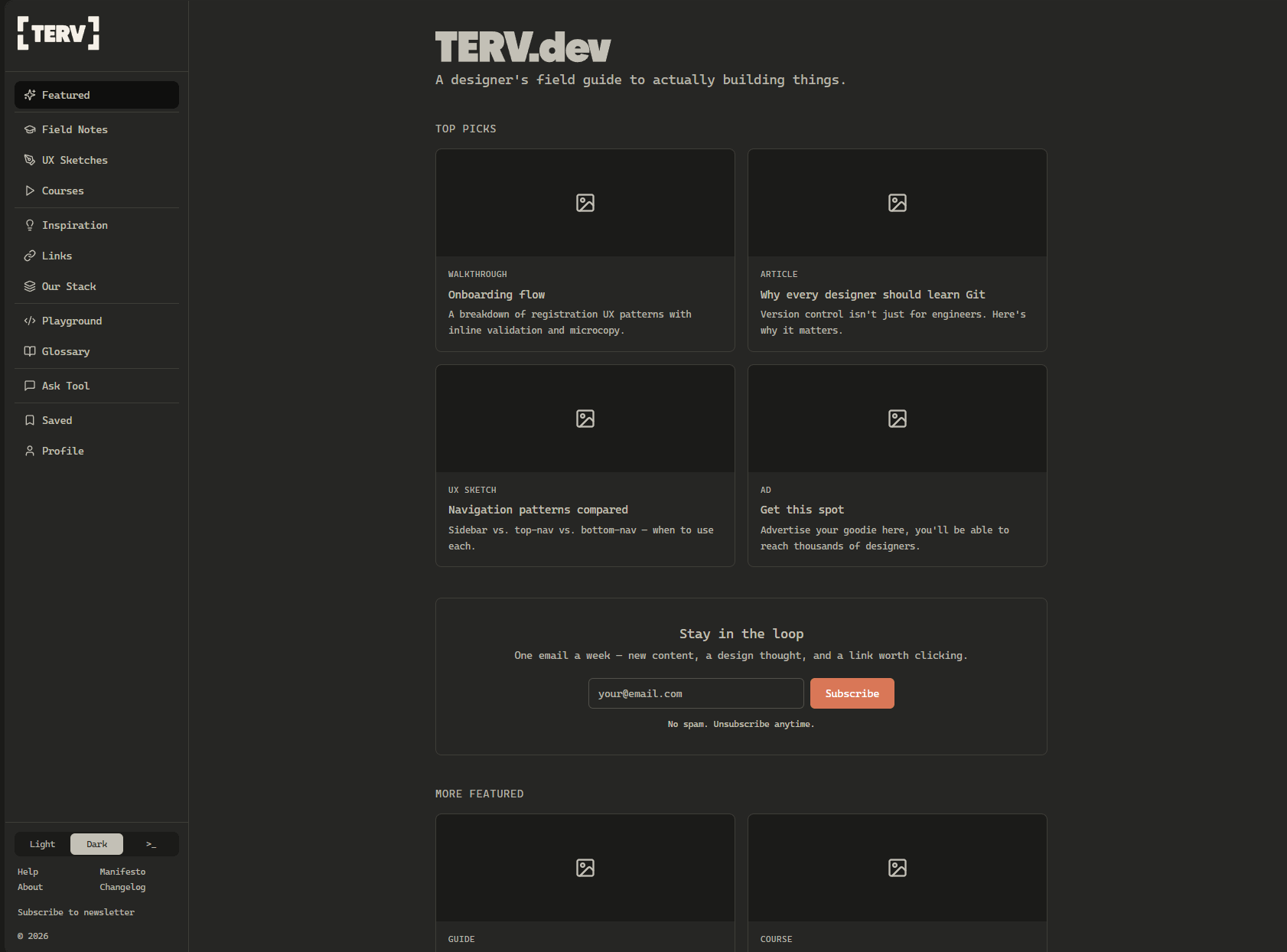
Our new platform, TERV.dev - what you can expect
10 + 1 design resources I loved the most in April
📐 What is TERV.dev
“TERV” is a Hungarian word for plan, layout, or blueprint. It’s also the name of the field guide and knowledge base Gergely Szerovay and I have been building for designers transitioning to builders (and for any designers wanting to learn more about all things design, front-end development and AI).
This is what you can expect on TERV.dev:
walkthroughs that dissect and analyze apps
step-by-step tutorials, e.g. how to setup and use GitHub
tips on using different tools, e.g. how we work with Claude
all UX sketches (currently on the UX Knowledge Base Sketch publication)
more advanced development topics, too
courses and webinar recordings
inspiration: favorite design solutions; people to follow; quotes that inspire us
links to great resources: everything that’s currently in the Start Here Designer database
development fundamentals playground with interactive tools (e.g. flexbox, grid, microinteractions)
glossary of design, development, and cognitive psychology terms
the Ask Tool - a chat experience that’s trained on the TERV.dev site’s content (inspired by Luke Wroblewski)
tools, Claude skills, and other resources you can directly apply in your own workflow
little easter eggs and an obligatory terminal theme next to the light & dark modes 😎
It’s a work in progress. I built a Lovable prototype first, we’re using it to think through the content types, information architecture, and other details. We’ve made many design decisions along the way, I’ll share the most interesting ones in a case study soon. (Here is a 1-min walkthrough video)
✏️ Business Models for Designers
Every design decision happens inside a business model. The newest .uxsketch breaks down the models you’ll encounter as a product designer, and my article’ll also dicuss how each one influences your work (e.g. what’ll be your main design challenge in each case). If you want to be a good designer, you should take into account the business goals, not just the user goals.
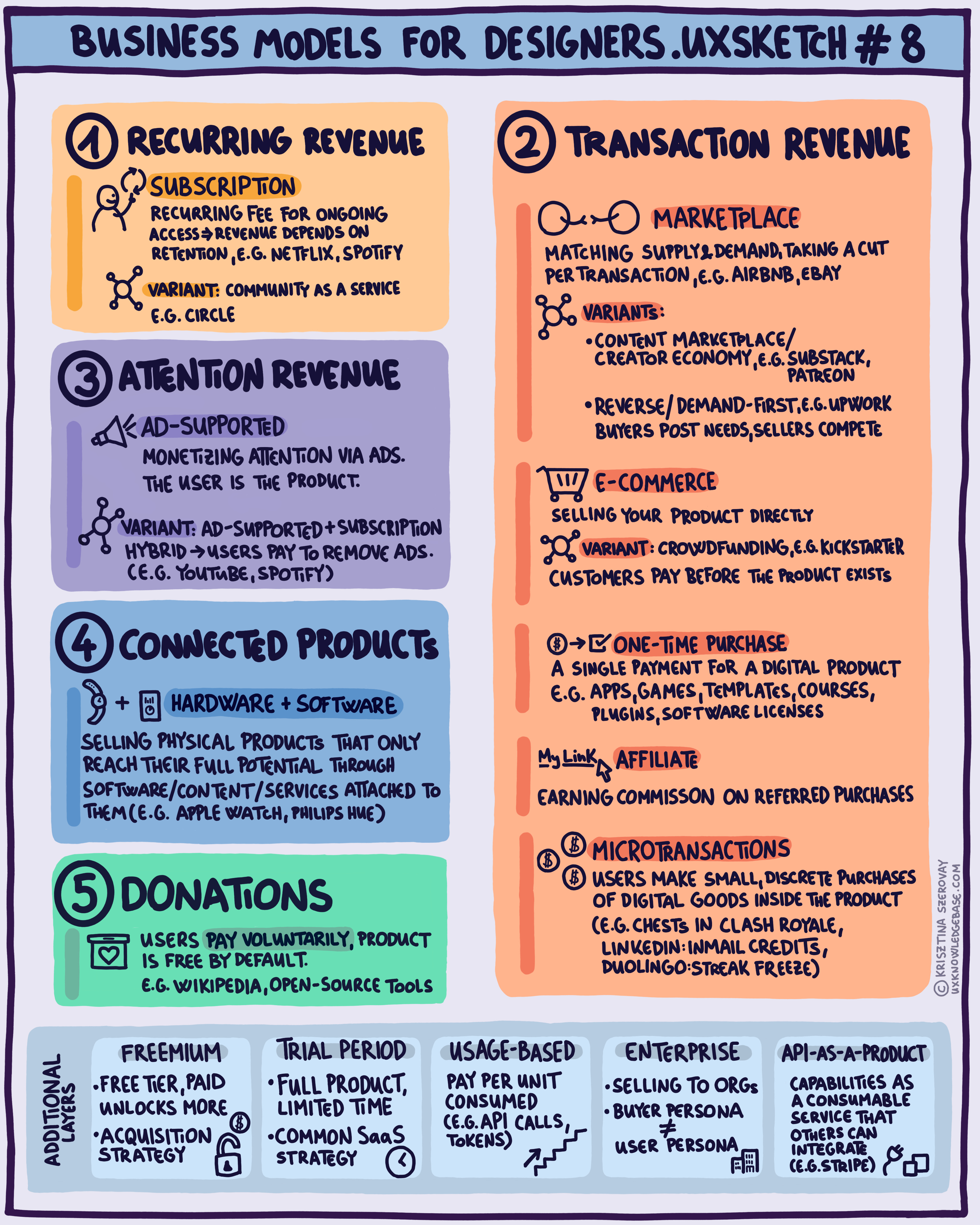
As always, I’m going to publish a more detailed article, you’ll find it here soon.
✏️ Favorite resources
Here are my favorite discoveries of April, 2026:
#1 Handmade Designs: The New Trust Signal by Megan Chan
”In an era of AI-generated-everything, AI-fatigued users want designs that look like they were made by a person.”
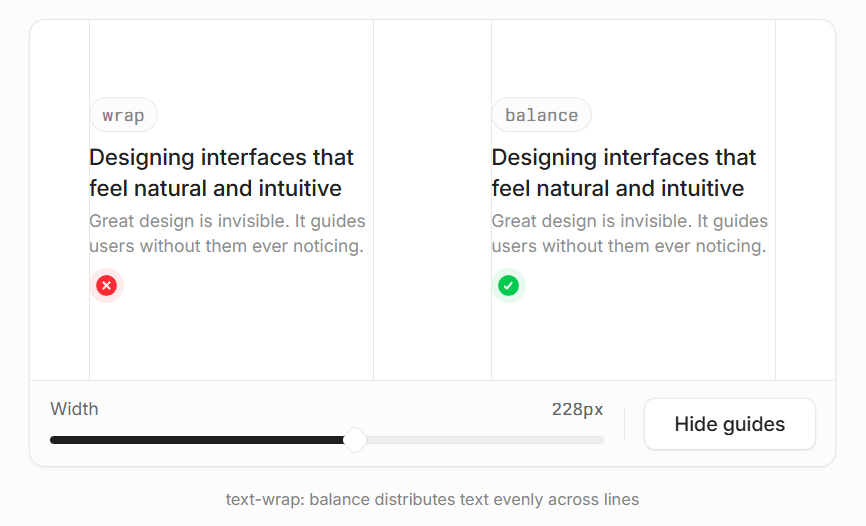
#2 Details that make interfaces feel better by Jakub Krehel
”Great interfaces rarely come from a single thing. It’s usually a collection of small things that compound into a great experience. Below are a few small details I use to make my interfaces feel better.”
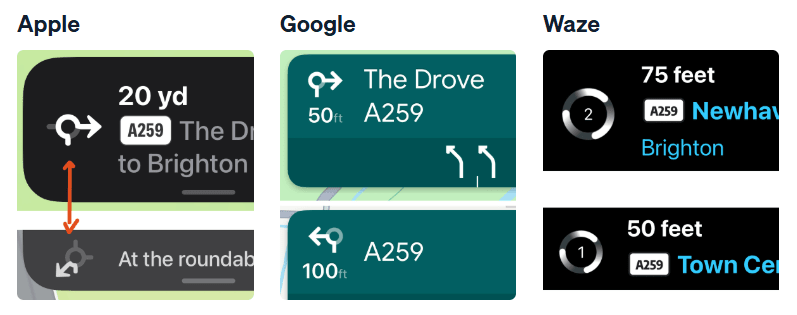
#3 Google is Hollowing out Waze, and that’s a Problem for Apple by Peter Ramsey
”In other words, the challenge for a navigation app isn’t to efficiently show you the best route, it’s to make you believe that you’ve found the best route.”
#4 Aesthetics of AI by AColorBright
“From a branding perspective, however, AI is more exciting than ever. As in every crowded market with low product differentiation, brand has become a crucial asset in the fight for attention, authority, and capital.
A perfect moment to dive into the AI space through a branding lens.”
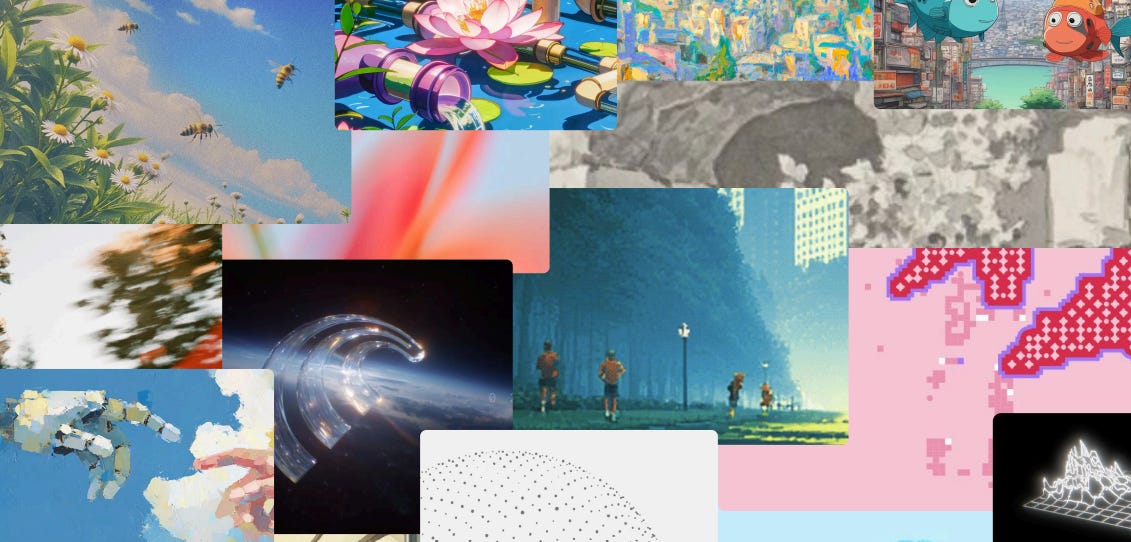
#5 Field Notes from the In-Between - What Happens When a Designer Stops Waiting by Kris Puckett
”That night I learned something I keep coming back to: the skill is being precise about what you don’t know. Vague frustration keeps you stuck. Specific confusion gets you answers.”
#6 How I critique my own designs before anyone else does by Rimsha
“Self-critique is the gap between sensing a problem and being able to articulate it. Your job is to close that gap.”
#7 10 Guidelines for Designing Your Site’s AI Chatbots by Georgia Kenderova, Maria Rosala and Tanner Kohler
”We studied real users interacting with AI chatbots across multiple sites and found that small design decisions had a large impact on whether people relied on chatbots for help. How the chatbot introduces itself, whether it follows users across pages, and how it presents product recommendations all shaped whether participants walked away satisfied or frustrated.”
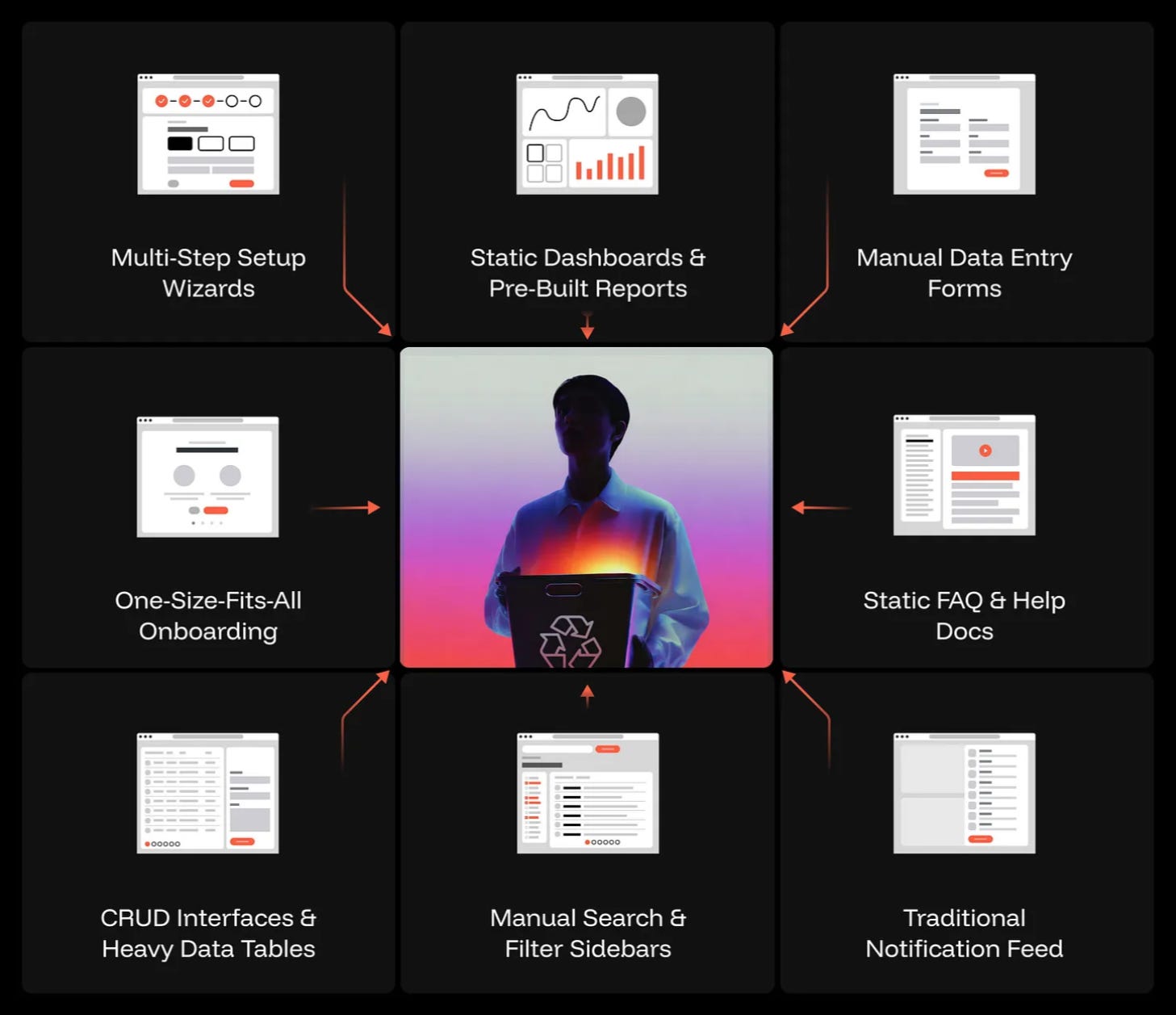
#8 10 UI patterns that won’t survive the AI shift by Taras Bakusevych
”We’ve spent years perfecting dashboards, data entry forms, search flows, filter sidebars, setup wizards, notification feeds, FAQ pages, onboarding tours. All built on the same assumption: the human is the one doing the work.
Every one of those screens exists because a designer answered the same question: “What does the user need to do here?”
And right now, AI is replacing the reason each one exists.”
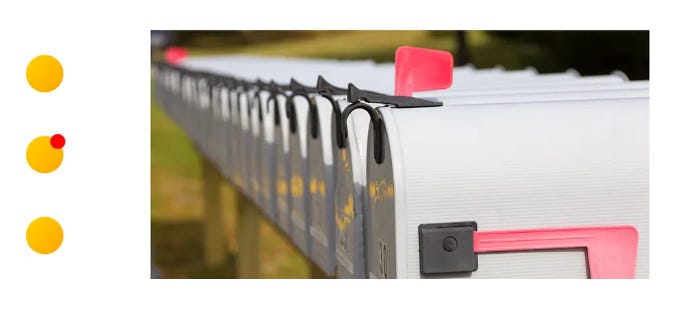
#9 An exploration of visual indicators IRL - Extending UX and interface design principles beyond digital products by Joe Winter
This is an 8-year old article. But I’ve only discovered it last month. It’s fantastic.
”One thing I love about working in UX and interface design is that the principles and elements extend beyond digital products. Indicators, like affordances and signifiers, exist in the world around us, communicating messages about the entities they represent. The most explicit method of using visual indicators is with added text, such as marking items in a department store with “20% off!” tags.
For this exploration, I wanted to focus specifically on non-text indicators that exist in the physical world. Rather than added text, they use color, orientation, and movement.”
If you are interested in the topic of getting inspired by the real world:
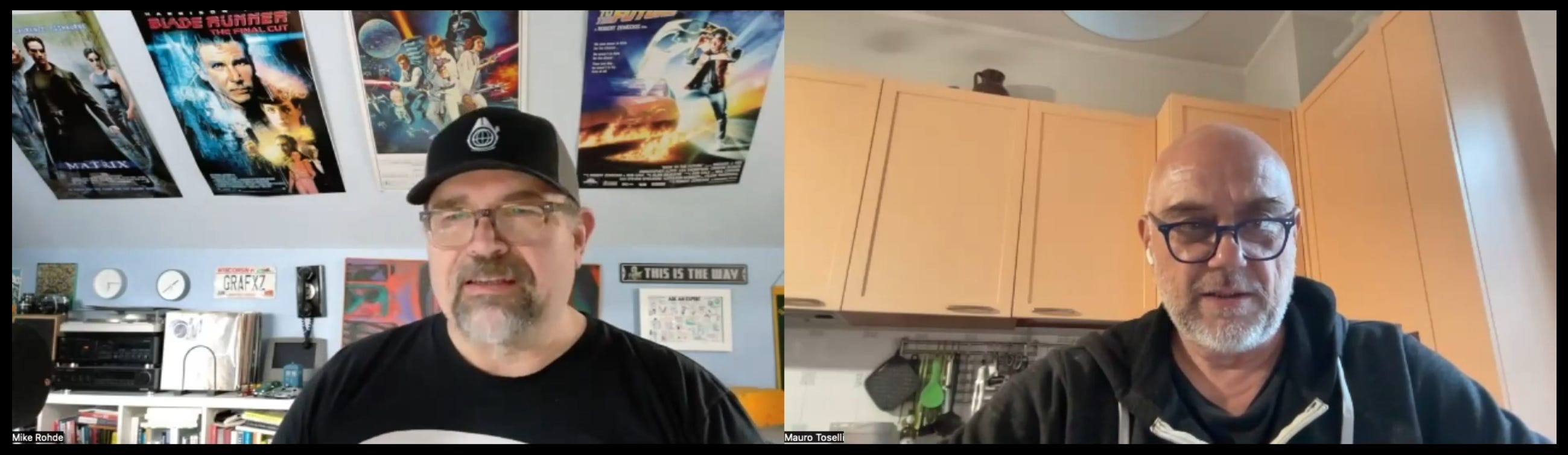
#10 Sketchnote Lab Live Replay: April 2026 - Visual Problem Solving w/ Mauro Toselli
This replay features two of my favorite visual thinkers, Mike Rohde and Mauro Toselli :)
”Mauro Toselli brought his Visual Problem Solving methodology to the session, opening with the Meta-Problem — the idea that we often build up a wall of justifications and deflections that buries the real problem we need to solve.
While Mauro laid out the concepts, I sketched his ideas live at my desk, and then we worked through three hands-on drawing exercises together.”
+1 Interactions by Harin
Weekly design explorations to inspire you.
+2 The AI Adoption Spiral by Liz
”Shift from, “What can AI do?” to “What can I do now because of AI?” ”
🔥 Deals & recommended products
My courses on Udemy
My free (pay-what-you-want) books
Recommended design courses
Supercharge Design All access by Andrija Prelec
Master Gorgeous UI Design Course by Pablo Stanley & his team
Figma Academy by Ridd (use the code SKETCHINGFORUX to get $100 off)
Other deals
Mobbin 2.0 is here with many new exciting features like flows, advanced search and an all-new library! Join with my link to support me with a couple of dollars, I’d really appreciate it!
☕ You can also support me by buying a coffee on ko-fi.com.
Thanks for reading my newsletter, I hope you enjoyed it! Please let me know if you have any feedback!
Krisztina
Your newsletter is always a fantastic read. And thank you soooo much for the mention!